
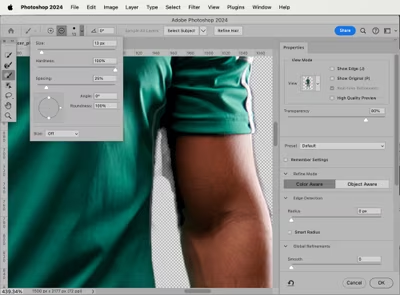
In the highly competitive e-commerce landscape of 2026, visual perfection isn’t just an option—it’s a direct ranking and conversion factor. When launching an online store on Amazon, Shopify, or Walmart, one of the first design challenges you’ll face is removing product backgrounds to create clean, high-converting visuals.
With dozens of one-click AI background removers and automated tools like the Magic Wand available, it’s tempting to choose the fastest route. However, global e-commerce giants and premium brands strictly avoid these automated solutions for their primary catalogs.
Here is a technical, data-driven analysis of why manual, hand-drawn clipping paths remain the gold standard over automated raster tools like the Magic Wand and why relying on AI alone could be costing your business sales.
Direct Comparison: Clipping Path vs. Magic Wand / AI Removers
If you are looking for a quick answer on how these two methods impact your e-commerce visuals, here is the technical breakdown:
| Feature | Hand-Drawn Clipping Path | Magic Wand / Automated AI |
| Primary Tool Used | Photoshop Pen Tool (Vector) | Color-Threshold Algorithms (Raster) |
| Edge Quality | Mathematical sharpness, zero pixelation | Blurry, jagged, or “staircase” edges |
| Handling Reflective Products | Perfect control over metallic/glass curves | Accidental over-cropping or “ghost” cutouts |
| Marketplace Compliance | 100% Guaranteed (Pure RGB 255,255,255) | Risks off-white tones or edge halos |
| Scalability | High (Vector curves scale infinitely) | Low (Dependent on pixel resolution) |
The Hidden Traps of Automated Background Removal
Automated tools and AI background removers work based on pixel color contrast or algorithmic predictions. While they process images in less than a second, they consistently fail in three critical areas that damage online brand credibility:
1. The “Jagged Edge” and Aliasing
When the Magic Wand tool selects a product, it groups pixels based on color thresholds. This creates a destructive raster selection. When zoomed in, the product boundaries look pixelated, rough, and uneven—often referred to as “Jaggies.” Premium buyers subconsciously associate jagged product images with low-quality or counterfeit items.
2. The “Glowing Halo” Effect
Automated tools struggle to define exactly where the product ends and the background begins. As a result, they leave a 1-to-2-pixel remnant of the original studio background around the item. When placed on a pure white e-commerce layout, your product will appear with an unnatural, distracting outline or “halo.”
3. Destruction of Reflective and Transparent Subjects
If you sell stainless steel kitchenware, high-end jewelry, cosmetics, or glassware, automated tools are highly unreliable. AI and Magic Wands cannot distinguish between a white studio reflection on a metallic surface and the white background behind it. This leads to the tool accidentally eating into the product itself, destroying its shape.
Why Hand-Drawn Vector Clipping Paths Win Every Time
A Clipping Path is a closed vector path drawn completely by hand using Adobe Photoshop’s Pen Tool (P). Instead of guessing based on pixels, a professional photo editor manually places anchor points to map out the exact geometry of the item.
The 1-Pixel Inset Rule
Professional human editors utilize the 1-pixel inset rule. By drawing the vector path exactly 1 pixel inside the product’s true boundary, they completely eliminate background color bleeding and edge halos. The result is a razor-sharp, natural cutout that looks flawless on any background.
Strict Marketplace Compliance (Amazon & Walmart)
Major e-commerce platforms use automated algorithms to scan product images upon upload. Platforms like Amazon require absolute pure white backgrounds (RGB 255, 255, 255). If an AI tool leaves even a slightly off-white shadow or an artifact (such as #FEFEFE), your product listing can be automatically suppressed from search results. Manual clipping paths ensure 100% compliance, protecting your organic reach.
Expert Verdict: When to Use What?
- Use Automated/AI Tools When: You are bulk-uploading simple, flat-lay clothing or basic square boxes for temporary social media posts where speed is favored over premium accuracy.
- Use Professional Clipping Path Services When: You are designing your main website catalog, running paid ad campaigns, selling complex/high-value goods (like electronics, shoes, jewelry), or optimizing listings for Amazon and marketplace success.
One bad product image can cost you thousands of dollars in lost trust and abandoned carts. Investing in human-verified, vector clipping paths guarantees that your entire store preserves a uniform, premium, and trustworthy look that drives conversions.
Frequently Asked Questions
Q: What is the main difference between a clipping path and a background removal app?
A: A clipping path is a precise, manual vector selection method using the Photoshop Pen Tool that creates perfectly sharp, scalable edges. “Background removal apps” rely on automated raster or AI algorithms that select pixels based on color, which often results in blurry edges, halos, or over-cropping errors on complex products.
Q: Can AI replace professional manual clipping paths in 2026?
A: While AI image editing has significantly improved for simple subjects, it still lacks the semantic understanding required for intricate, reflective, or transparent products like jewelry and glassware. Premium e-commerce brands rely on a hybrid model or manual clipping paths to maintain a high level of catalog consistency and prevent listing suppression on marketplaces.
Q: Why does my product background look gray after using automatic tools?
A: Camera sensors naturally capture studio light backgrounds as off-white or light gray due to reflective averaging. Automatic tools often fail to clean up these micro-shadows perfectly. A professional clipping path isolates the product completely onto a transparent vector layer, allowing it to be dropped onto a flawless, pure white RGB 255,255,255 background.