
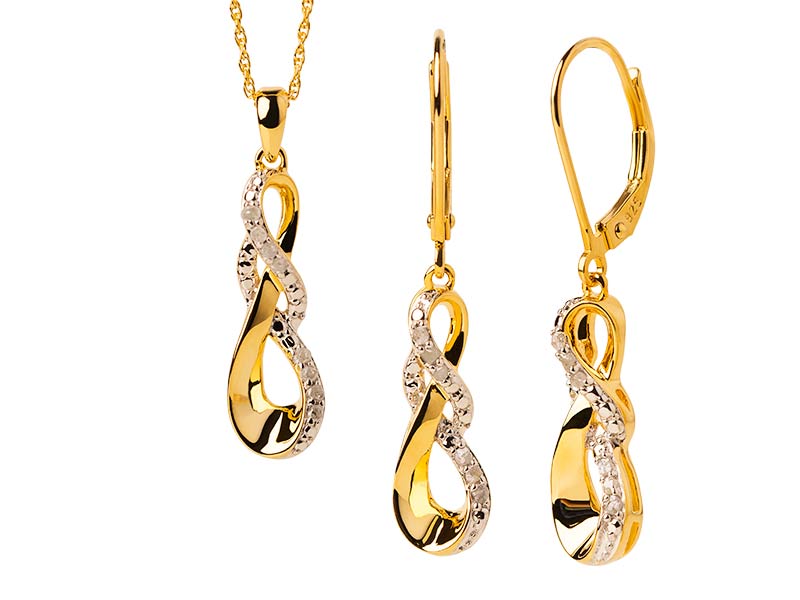
Jewellery perhaps is the most difficult sector of post-production in product photography for e-commerce.
Microscopic reflections, gem facets in full glory, intricate metal engravings and specular highlights, there is no room for error.
The last visual benchmark for scaling visual assets for luxury jewellery brands: choice of methodology: manual Photoshop Pen Tool Vector Clipping vs automated AI Masking Tools.
Edge accuracy, workflow velocity and quality control – a technical review how Graphics Pixels uses hybrid retouching workflows to meet luxury standards worldwide.
1. Breakdown of Technical Performance
High-end jewellery editing calls for accurate masking.
Metals and jewels need different layer changes, specific colour grading, and focus stacking alignment.
Photoshop Pen Tool (Vector Cutout by Hand)
The Pen Tool draws mathematically defined vector pathways over complex jewellery geometry using Bezier curves.
- Pixel-Perfect Vector Edges: Razor-sharp, crisp edges with no soft fringing or halo artefacts at 300-500% zoom.
- Component Level Isolation: Allows retouchers to isolate individual prongs, diamond facets, inner ring shanks and metal bezels on separate paths for independent colour correction.
- Advanced Transparency Control: For complex latticework, filigree cuts, and transparent gems.
AI Masking Tools (Auto Selection Models)
Object detection with deep learning AI selection engines rapidly hide raster Contrast Colour limitations.
- Fast Speed: The full-object masks are generated in milliseconds, saving a lot of time in the primary selection.
- Boundary Fringing Problems: Problems on polished metal edges when the product is reflecting the background, usually eroding into metal outlines or leaving fuzzy edge halos.
- Facet Failure: Failure to isolate the individual facets of a gemstone or complex light refractions resulting in the diminution of subtle details to a single flat selection mask.
2. Comparison Matrix of Technologies
| Normal / Feature | Photoshop Pen Tool (Handbuch) | Masking Tools (Automated) |
| Edge Accuracy & Sharpness | 100% Accurate Vectors No Fringing | Variable Raster Edges (Potential Soft Halos) |
| Intricate Geometric & Filigree | Manual Waypoint Control perfected | Sometimes we forget the negative spaces |
| Separation Gemstone & Facet | Individual Facet Accuracy Mapping | Broad Object Grouping |
| Images/sec | Slow (5-15 minutes per item) | Immediate (1-3 Seconds) |
| Jewellery Scalability | High-End Luxury & High Resolution Zoom: Must Haves | Confined to low-cost e-commerce catalogues |
3. Workflow Quality & Efficiency Assessment
The Cost of Edge Errors: A bad edge kills the illusion of quality in luxury jewellery retail.
The masking done by the artificial intelligence leaves soft edges on the metal borders so the manual cleanup erases the time savings of automation.
Gemstone Refraction Challenges: Custom contrast enhancement is required for each facet of diamonds and coloured gemstones.
Retouchers can generate anchor points along the precise edges of facets with the Pen Tool, something no AI model can do reliably at the moment.
The Hybrid Solution: In modern enterprise operations, AI performs the first rough background separation.
Then skilled manual Pen Tool paths refine pathways for critical product limits, prongs and stones.
4. Why Luxury Brands Need Graphics Pixels
High-end jewellery retouching demands a level of attention to detail that cannot be replaced by general automation.
Graphics Pixels offers high-precision jewellery post-production services for luxury stores, custom jewellers and high-volume e-commerce companies.
Graphics Pixels Specialised Jewellery Services:
- Manual Clip Paths for Vectors: Hand-drawn Pen Tool paths ensuring 100% crisp edges for high-resolution zoom capability.
- Gemstone Enhancement & Colour Correction: Diamond sparkle and fire and colour consistency for emeralds, rubies and sapphires.
- Dust, Scratch & Impression Cleanup: Removes micro-scratches, fingerprints and defects from metal castings, leaving natural textures.
- Composite Cleaning Focus Stacking: Seamlessly blend focus stacked images for edge-to-edge sharpness.
Conclusion: Which Tool Should You Use?
Perhaps you should try AI Masking Tools for quick drafts, easy low contrast fashion accessories or fast fashion jewellery in big volume where ultra high resolution detail is not needed.
High end luxury jewellery, beautiful diamond settings, print catalogues and e-commerce stores with extraordinary zoom capabilities: Choose the Pen Tool in Photoshop.
If you want to take your jewellery product photography to the next level with pixel-perfect vector precision, contact the retouching gurus at Graphics Pixels today.